Dominik Lukeš
Search/
Back to home

Apps

Desktop and web apps Dominik has built for writing, presenting, reading and teaching. Guides are in Resources and agent skills are in Agents.

22 apps, from his earlier site and his public GitHub repositories.

Desktop apps

Installed apps for macOS, Windows or both.

TalkWeaver

ReleasedmacOS, Windows
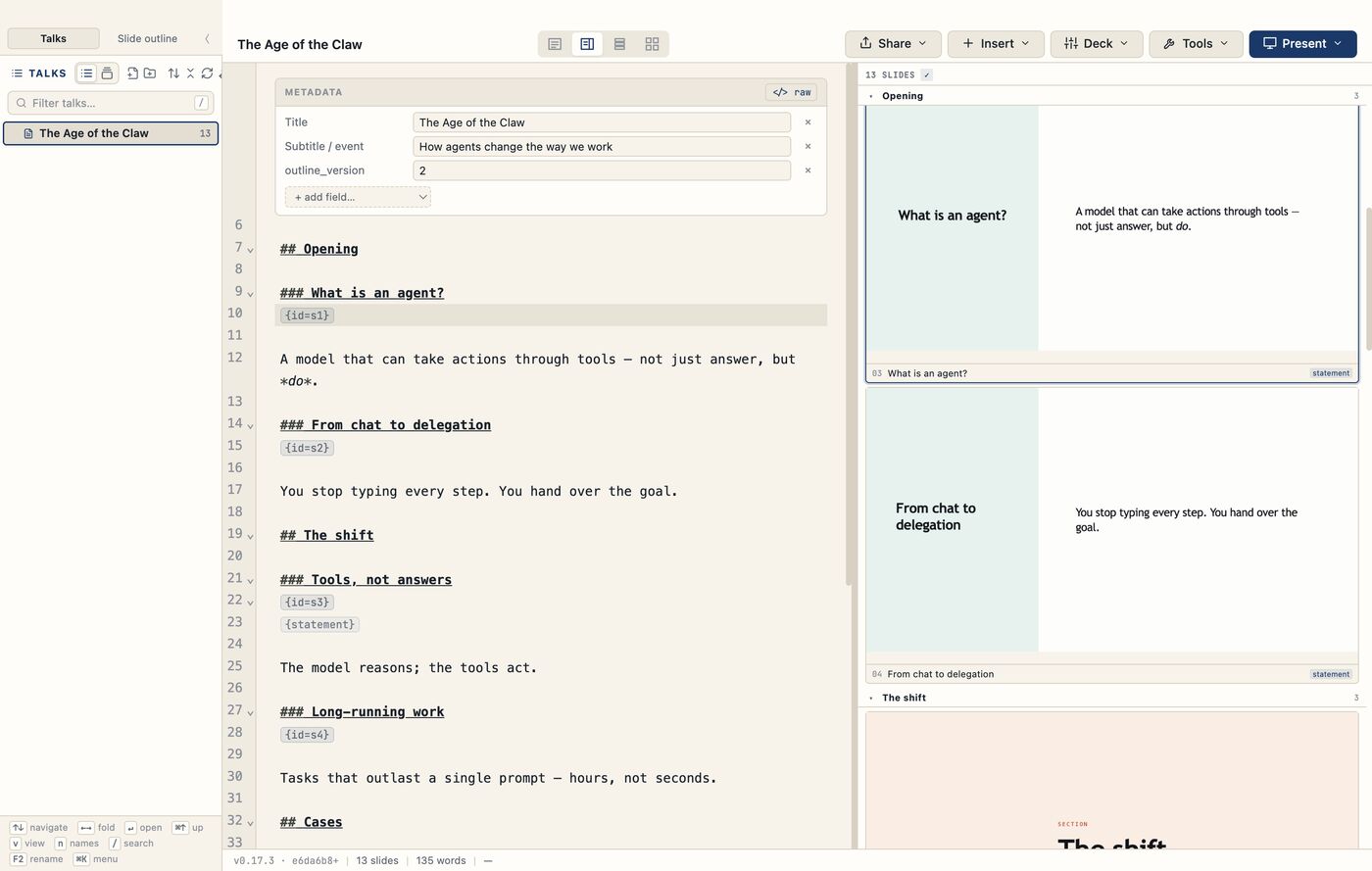
TalkWeaver screenshot

Write talks as structured outlines, then present them as self-contained HTML decks. Publish from the app or share a single file, keeping the text of your talk as the source.

More about TalkWeaver

Write a talk as an outline, then present it as a deck that is a single HTML file you can share or publish. Publishing to the web is set up inside the app.

  • Outline-first writing: the talk is a structured outline, not a pile of slides
  • Presents as a self-contained HTML deck
  • In-app set-up for publishing decks
  • PowerPoint extractor recovers text, notes and media from old decks
Made with
Electron
Ideal for
people who give talks and want the text of the talk to stay the source
Record
/apps/talkweaver

Highlight Scout

macOS, Windows
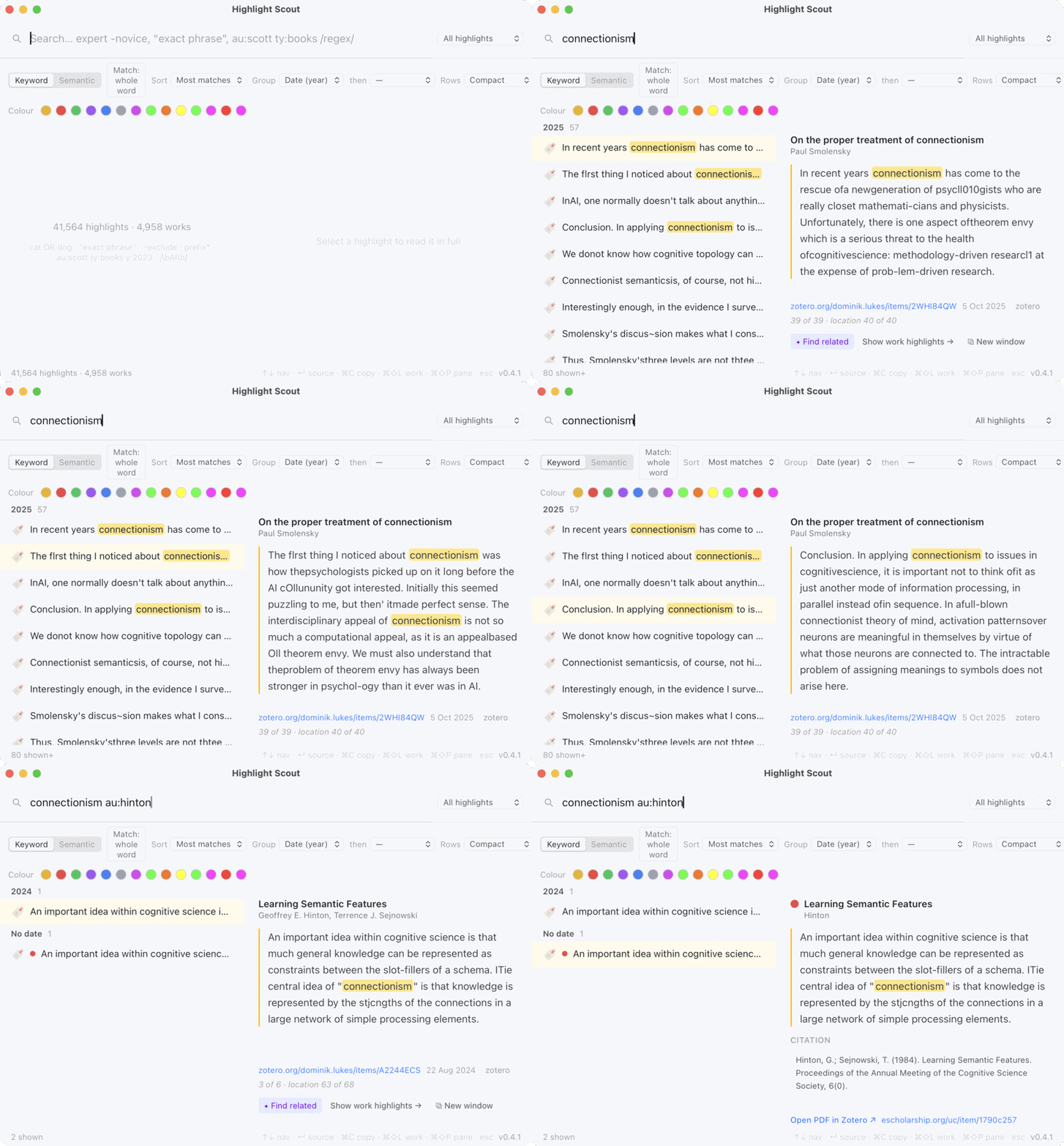
Highlight Scout screenshot

Search your reading highlights from Readwise, Zotero, Kindle and imported files in one local archive. Find passages by keyword or, optionally, by meaning, then return to their sources.

More about Highlight Scout

Highlight Scout is a desktop app for searching the highlights you've collected across years of reading. It pulls annotations from Readwise, Zotero, Kindle, and plain CSV or JSON files into a single local index and makes them instantly searchable — by keyword or by meaning. Everything stays on your machine, and the app is free and open source.

  • Unified import: Readwise, Zotero (with citations and PDF links), Kindle clippings, CSV, and JSON in one searchable archive
  • Instant keyword search: Whole-word or partial matching, with a global hotkey to summon the window from anywhere
  • Semantic search: Find highlights by meaning, not just words, plus a 'find related' view for any quote (optional, via QMD)
  • Local and private: Your highlights never leave your computer; cross-platform builds for macOS and Windows
Made with
Tauri, Rust, Claude Code
Ideal for
researchers, writers, and avid readers who have collected thousands of highlights and want to actually find and reuse them
Record
/apps/highlight-scout
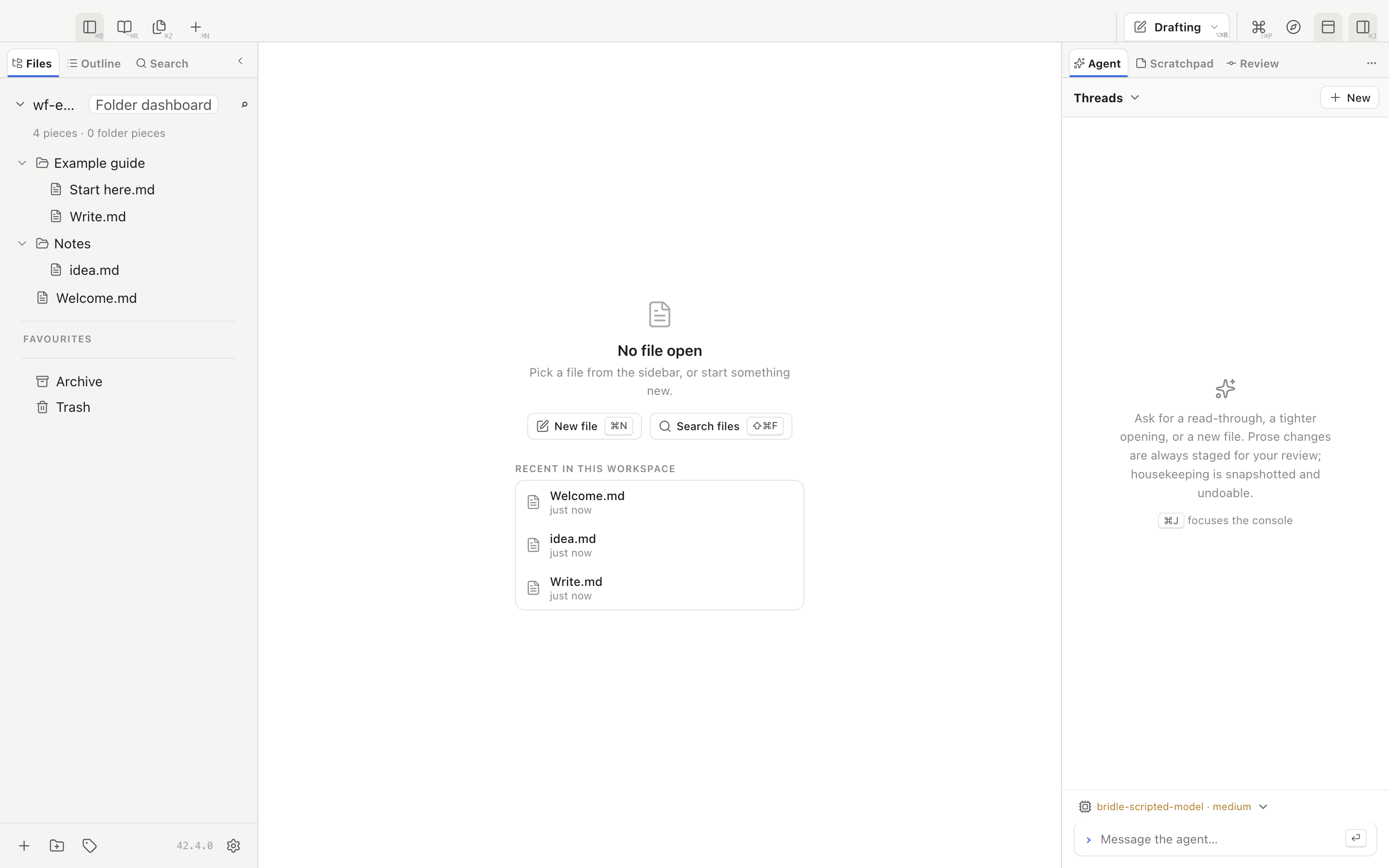
WriteFlex screenshot

A Markdown writing app for long pieces, Folios and focused reading, with an AI agent that proposes and you accept.

More about WriteFlex

WriteFlex is a Markdown writing app for long pieces. Writing is organised into Folios; an AI agent proposes edits and you accept or reject them.

  • Markdown writing for long pieces
  • Folios for organising work
  • Focused reading mode
  • An agent that proposes changes; you accept them
Ideal for
writers who want an agent that suggests, never rewrites
Record
/apps/writeflex

SlideWell

Desktop
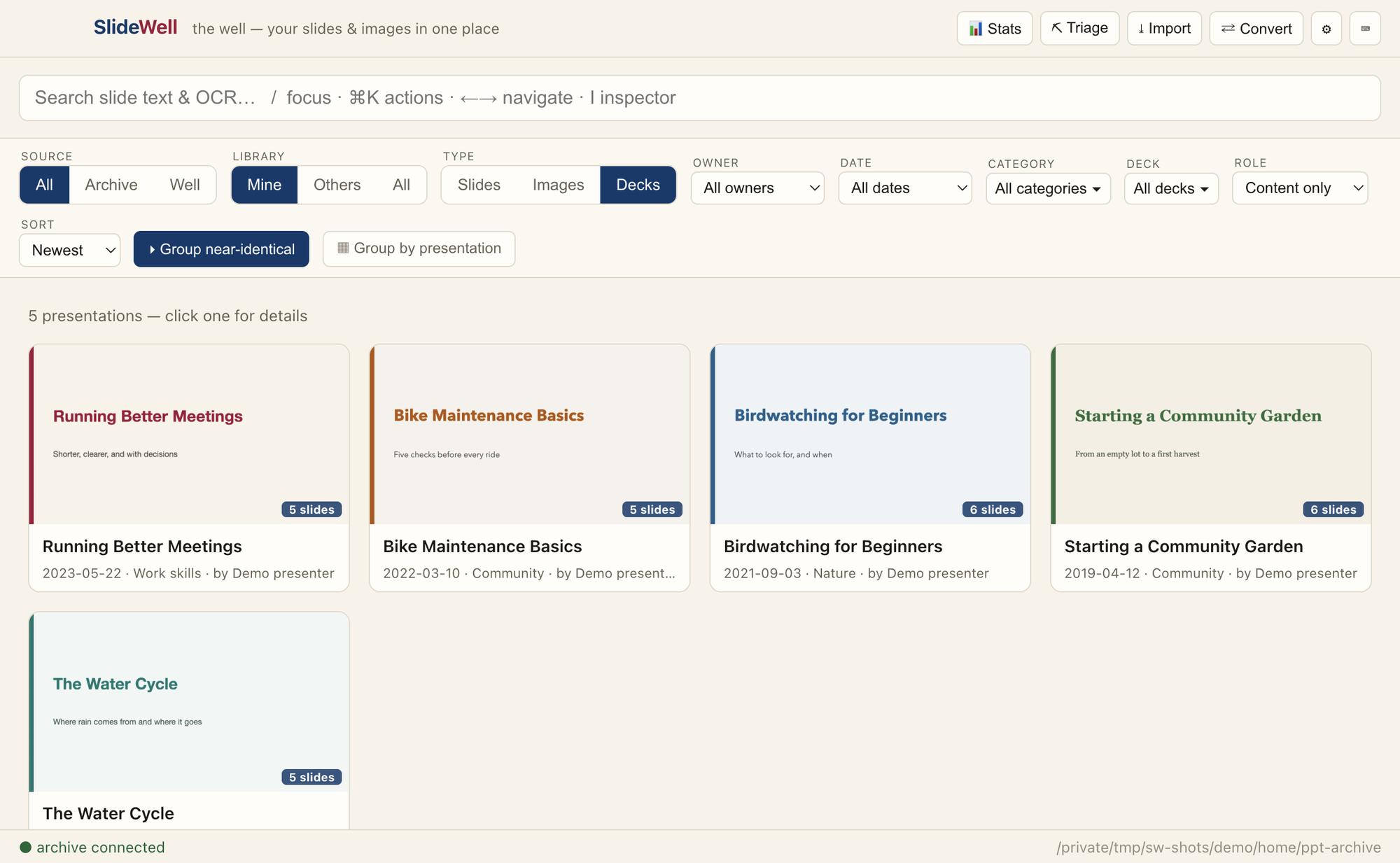
SlideWell screenshot

Keep slides and images from past talks in one desktop archive. SlideWell is a companion to TalkWeaver, helping speakers draw on material from their existing decks.

More about SlideWell

SlideWell keeps every slide and image from past talks in one archive that TalkWeaver can draw on.

  • Archive of slides and images from past decks
  • Companion to TalkWeaver
Ideal for
speakers with years of decks
Record
/apps/slidewell
Source

Dev Traffic Control

ReleasedmacOS
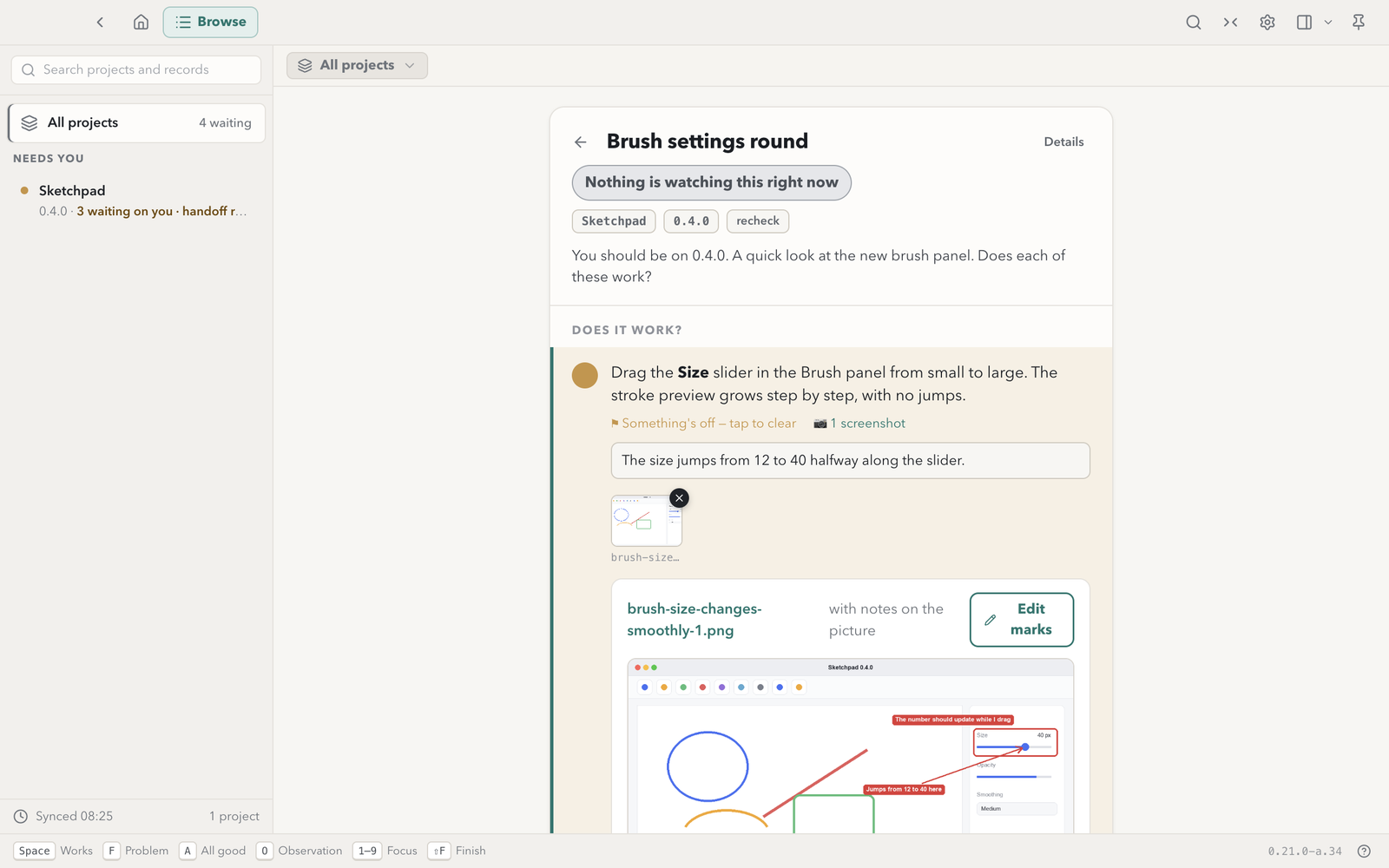
Dev Traffic Control screenshot

A Mac app for the requests your coding agents send you: checks, design reviews with side-by-side decisions, and more.

More about Dev Traffic Control

Coding agents write requests (checks to run, designs to review, questions to answer) and Dev Traffic Control shows them in one inbox, with side-by-side design decisions and a record of each answer.

  • One inbox for agent requests
  • Design reviews with side-by-side decisions
  • Answers recorded where the agent can collect them
Made with
Electron
Ideal for
people who run several coding agents at once
Record
/apps/dev-traffic-control

ReportScout

ReleasedmacOS 12+ arm64 · Windows 10+ x64
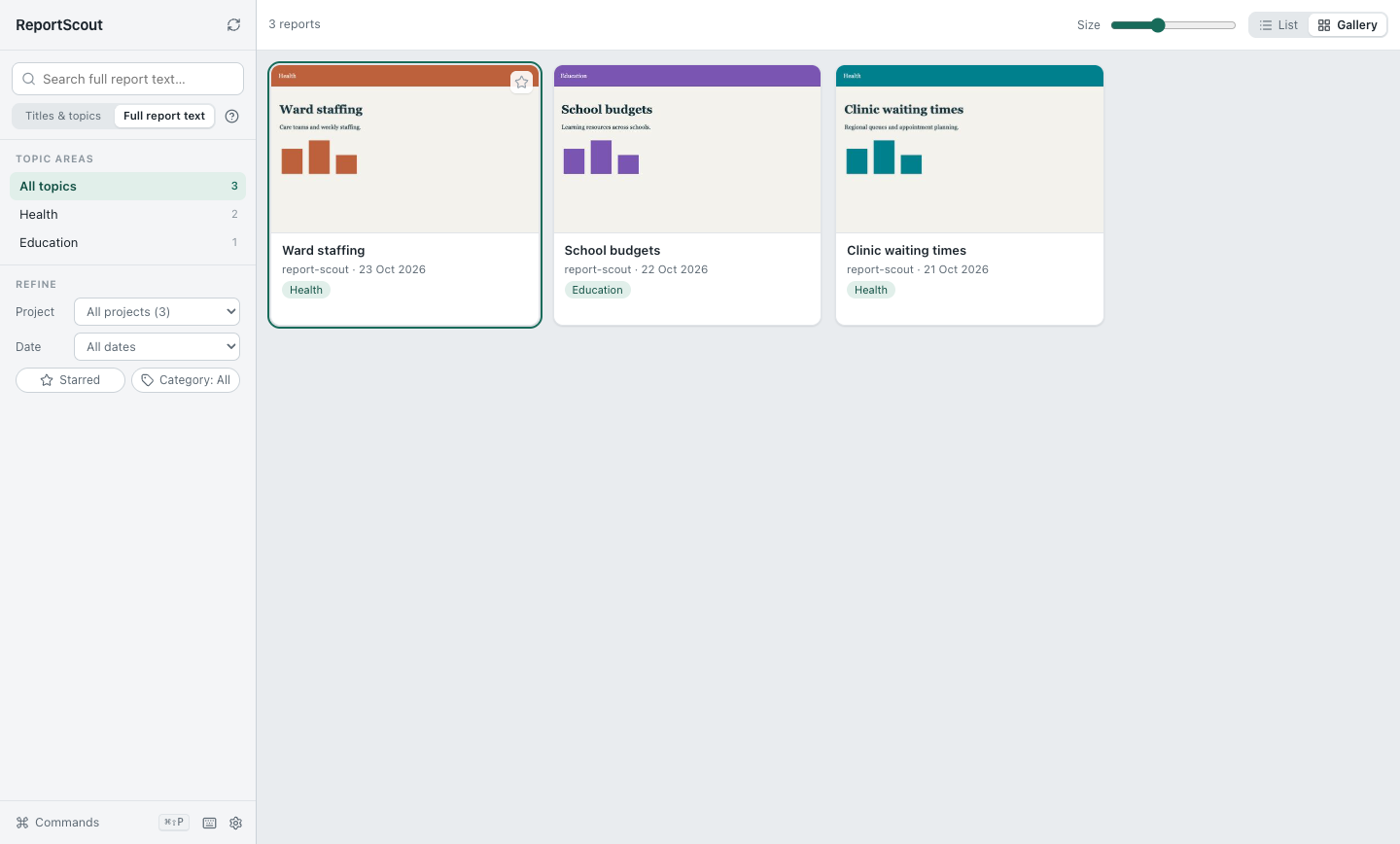
ReportScout screenshot

Collect, browse and search the HTML reports your agents create. Use a gallery or a reader beside your results, organise reports with topics and stars, and archive them without moving files.

More about ReportScout

ReportScout catalogues HTML reports without moving them. You choose folders; it scans those folders and their subfolders, and also includes registered reports and its own inbox. A new library starts empty. Browse the reports as thumbnail previews in a gallery, or as a list with the reader beside your results. Refine by project, date, category or star, and link related reports. Move a report you no longer need to the Archive: it leaves ordinary lists and searches, the file is never moved or deleted, and you can restore it. Tick several reports and click Archive selected, or use the Archive icon beside a report’s star in the list or gallery. Inside Archive, the same controls restore reports. Search has two scopes. Titles & topics searches report titles, topics, catalogue keywords and your categories. Full report text adds project names and the text extracted from each HTML report. Search covers indexed HTML reports only; it does not follow linked Markdown files, PDFs or web pages. Topics are yours to assign and change. If you want suggestions, an external agent that you choose can read your reports and import its suggestions through the command line. Low-confidence suggestions stay Unassigned, and your own choices take precedence. ReportScout does not assign topics automatically and has no built-in AI classifier. The catalogue, search index, stars, categories and topic choices are stored on your computer. The full guide and Mac 0.3.4 and Windows 0.3.4 downloads are on the ReportScout page. If computers share an inbox, update every Mac to 0.3.2 or later and every Windows PC to 0.3.3 or later before archiving reports; 0.3.0 drops the Archive mark when saving mark changes.

  • Scans the report folders you choose and leaves the files where they are
  • Gallery of thumbnail previews, or a list with the reader beside it
  • Two search scopes: Titles & topics, or Full report text
  • Stars, categories and links between related reports
  • Archive or restore individual reports or a selection directly from the list or gallery
  • Topics you assign yourself, with optional suggestions imported from an external agent
  • Keyboard shortcuts and a command palette
Ideal for
people whose agents produce many HTML reports and who want to find and reread them in one place
Record
/apps/reportscout

Agent Scout

macOS 13+ · Apple Silicon
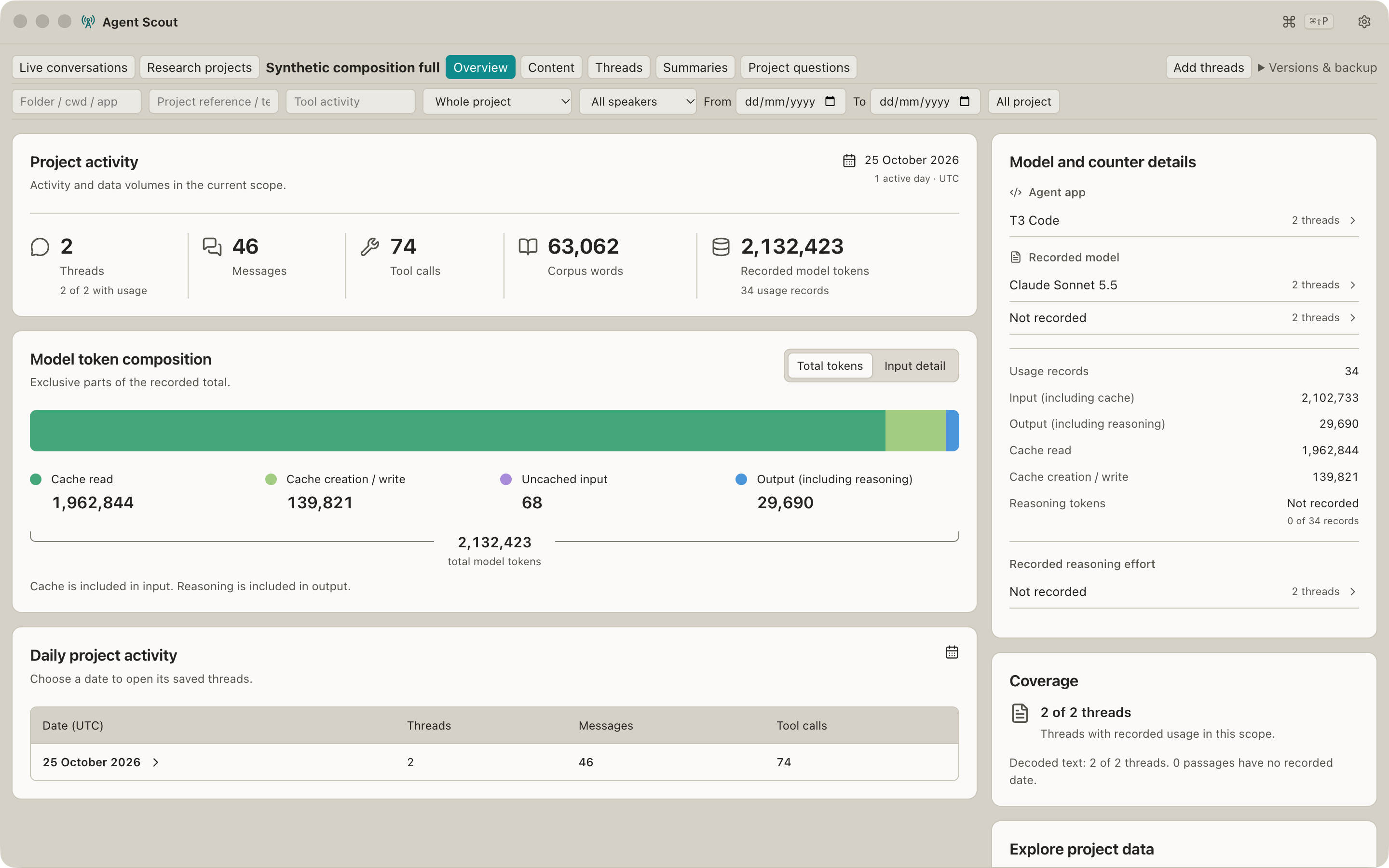
Agent Scout screenshot

Collect coding-agent conversations into research projects, preserve their original records and explore the work through activity charts and source-linked content tools.

More about Agent Scout

Agent Scout is a Mac app for researching work done with coding agents. It discovers supported Claude Code, Codex, T3 Code and Antigravity histories, then lets researchers filter conversations by folder, project reference, text, tool activity and date. Add individual threads or all matching threads to a named research project. Collected projects retain available original records, tool outputs, native metadata and attachments in dated versions. Earlier versions remain available, and projects can be backed up and restored. Unsupported or opaque records remain preserved even when their text cannot be decoded. The redesigned overview combines a compact activity summary, exact model-token composition and a clickable daily ledger. Cache is included in input rather than added twice; missing counters remain distinct from recorded zero. Model, source and coverage details sit alongside the main view. Shared filters connect the overview to saved threads. Local ArchiveScout tools provide concordances, repeated phrases, collocations and comparisons, with links to archived passages. Optional summaries and project questions save content analysis with source references. Browsing and local statistics do not call a model. Paid analysis requires a supported provider key and an explicit run, which sends the disclosed archived text to that provider. Version 0.2.0-provisional.7 is an early public preview for Apple Silicon Macs running macOS 13 or later. The Mac app is signed and notarised by Apple. Download the ZIP from the release page, expand it and drag Agent Scout.app into Applications. The screenshot shows the actual app using synthetic conversations.

  • Signed and Apple-notarised public preview for Apple Silicon macOS 13+
  • Automatically discovers supported local agent histories
  • Adds selected conversations or every thread matching the current criteria
  • Preserves available original records in retained research-project versions
  • Shows exact token composition, daily activity and recorded model and cache usage
  • Offers local concordances, phrases, collocations and comparisons with source links
  • Saves optional model summaries and project questions after an explicit run
  • Verifies portable project backups and restores
Made with
Electron, React, ArchiveScout
Ideal for
researchers examining how work developed across coding-agent conversations
Record
/apps/agent-scout
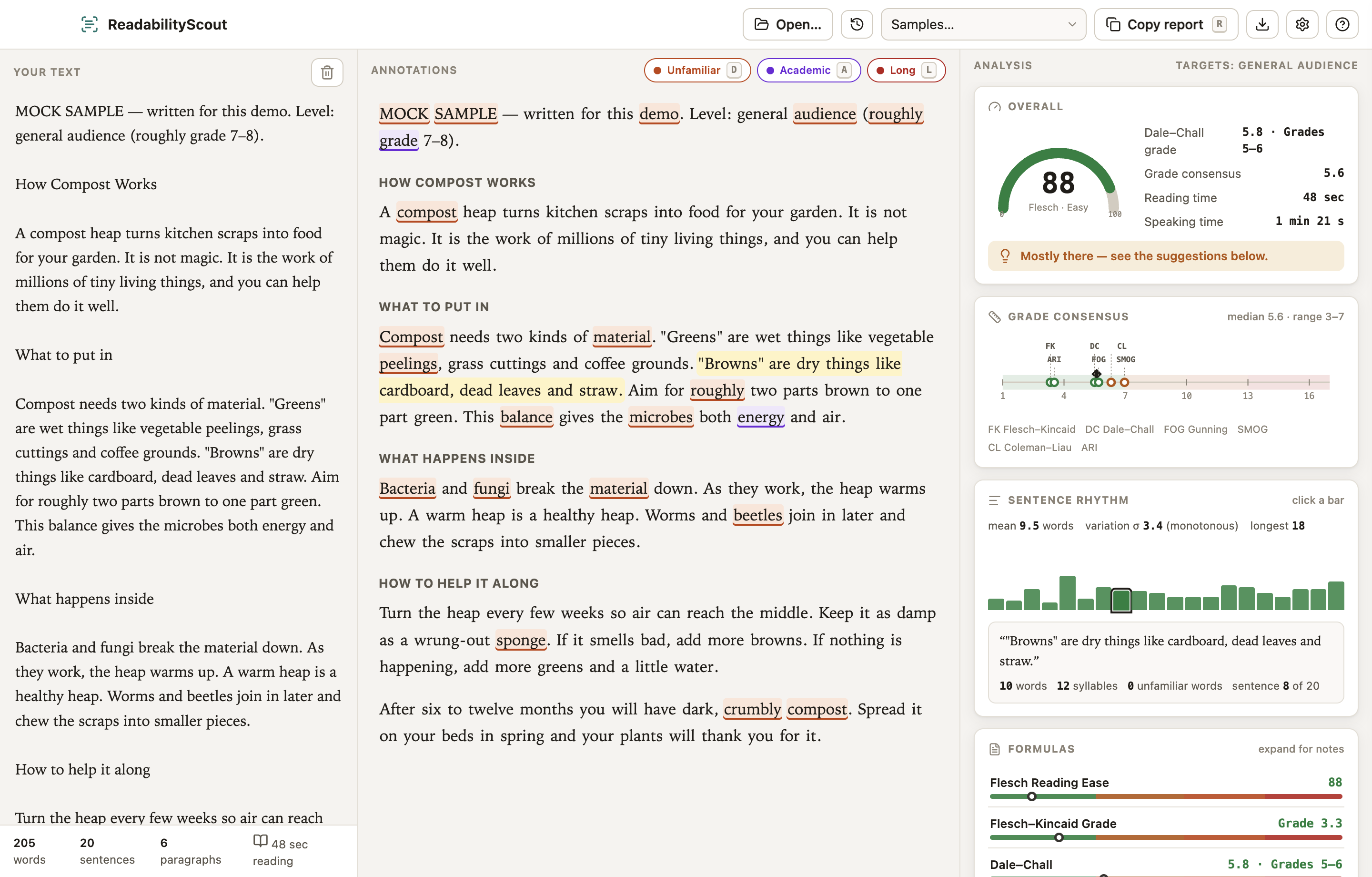
ReadabilityScout screenshot

Check text files on your Mac with eight readability formulas and a combined grade estimate. Inspect sentence-level detail to help assess writing against plain-language targets.

More about ReadabilityScout

ReadabilityScout analyses any text file on your Mac with eight readability formulas and shows a grade consensus.

  • Eight readability formulas
  • Grade consensus
  • Works on any text file
Made with
Electron
Ideal for
writers and editors checking plain-language targets
Record
/apps/readabilityscout
Source

TalkWeaver PPT Extractor

macOS · Apple Silicon
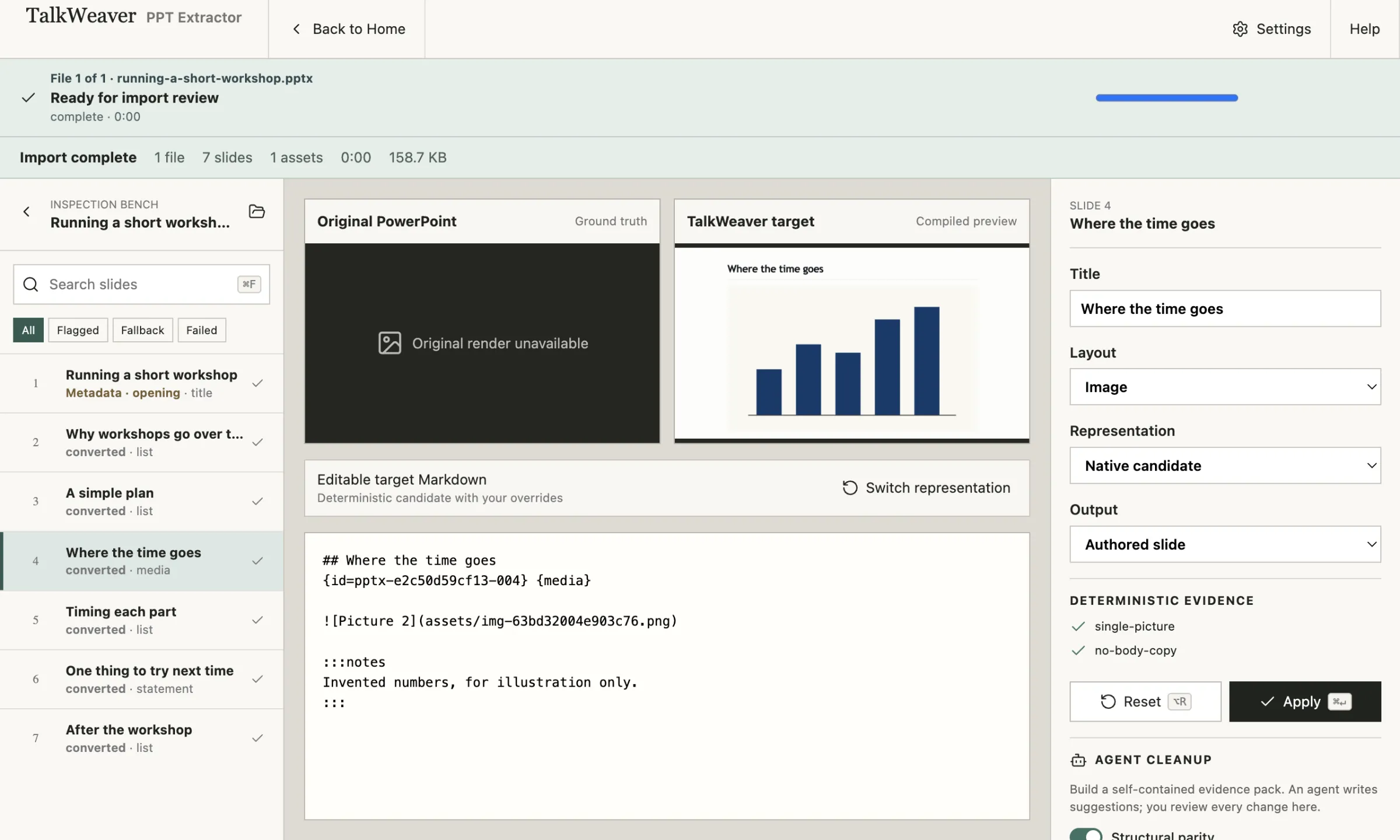
TalkWeaver PPT Extractor screenshot

Recover text, speaker notes, structure and media from PowerPoint files. Generate a TalkWeaver outline to bring material from an existing deck into an outline-based presentation.

More about TalkWeaver PPT Extractor

Upload a PowerPoint file and get back its text, speaker notes, structure and media, plus a TalkWeaver outline.

  • Text, notes and media from .pptx
  • Outline for TalkWeaver
Ideal for
anyone moving old decks into TalkWeaver
Record
/apps/ppt-extractor

Web apps

Apps that run in the browser.

How Much Reason

ReleasedWeb
How Much Reason screenshot

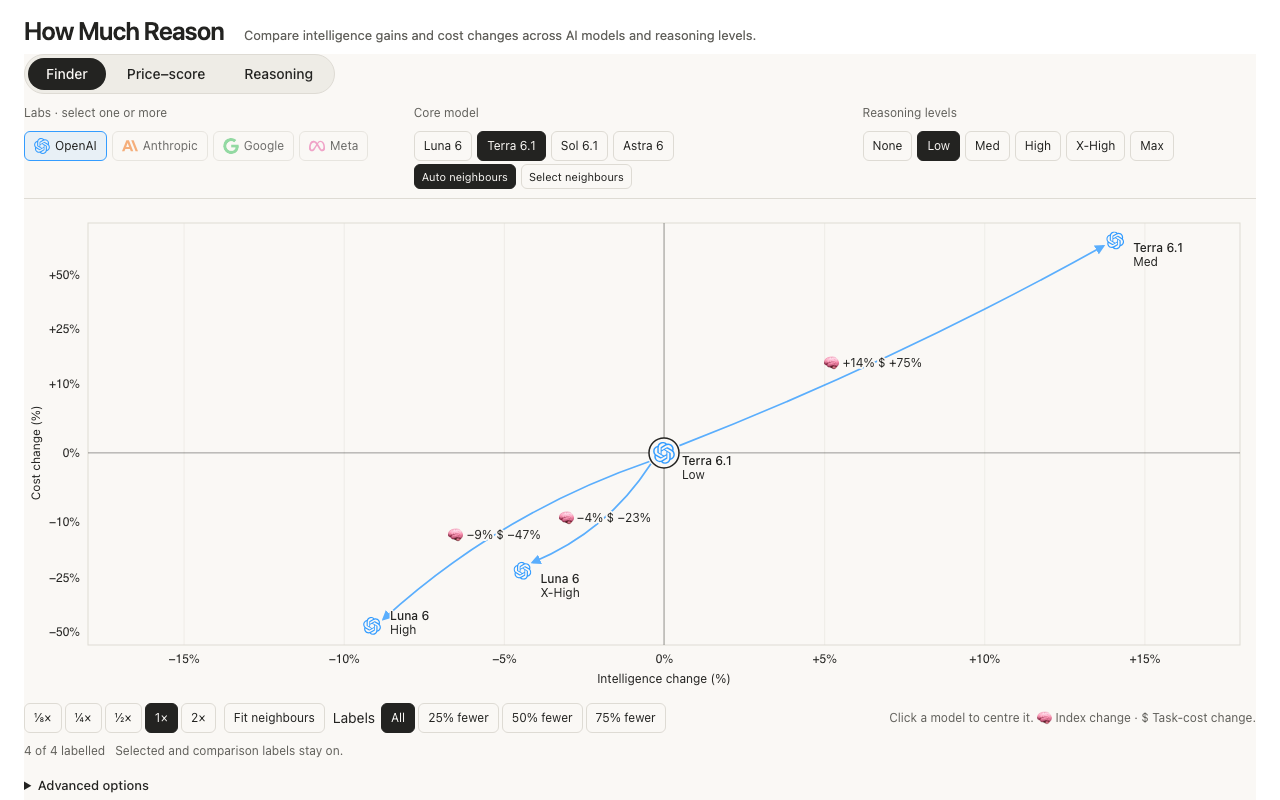
Compare AI models and reasoning levels using interactive charts of intelligence scores and estimated benchmark task costs. Choose a reference setting or pin comparisons; data is from 26 October 2026.

More about How Much Reason

How Much Reason compares AI models and reasoning levels using the Artificial Analysis Intelligence Index and estimated cost per benchmark task. Finder places a chosen reference setting at zero and shows relative score and cost changes for alternatives; comparisons can use automatic neighbours or multiple pinned model and effort settings. Price–score connects measured reasoning levels, while Reasoning compares effort settings directly. The chart uses a snapshot from 26 October 2026 covering 15 model families and 48 settings, with costs available for 46. Index changes are not changes in task accuracy, and benchmark task costs are not live prices or quotes for a particular task.

  • Finder with a reference model and reasoning level, automatic neighbours or exact pinned comparisons
  • Arrows showing relative Intelligence Index and cost changes, with lab colours and logos
  • Price–score curves connecting all measured reasoning levels for selected models
  • Reasoning view comparing measured effort settings
  • Lab and model filters, contextual outlier labels and label density controls
Ideal for
people comparing AI models and reasoning effort settings
Record
/apps/how-much-reason

TimeFlex

Web (PWA)
TimeFlex screenshot

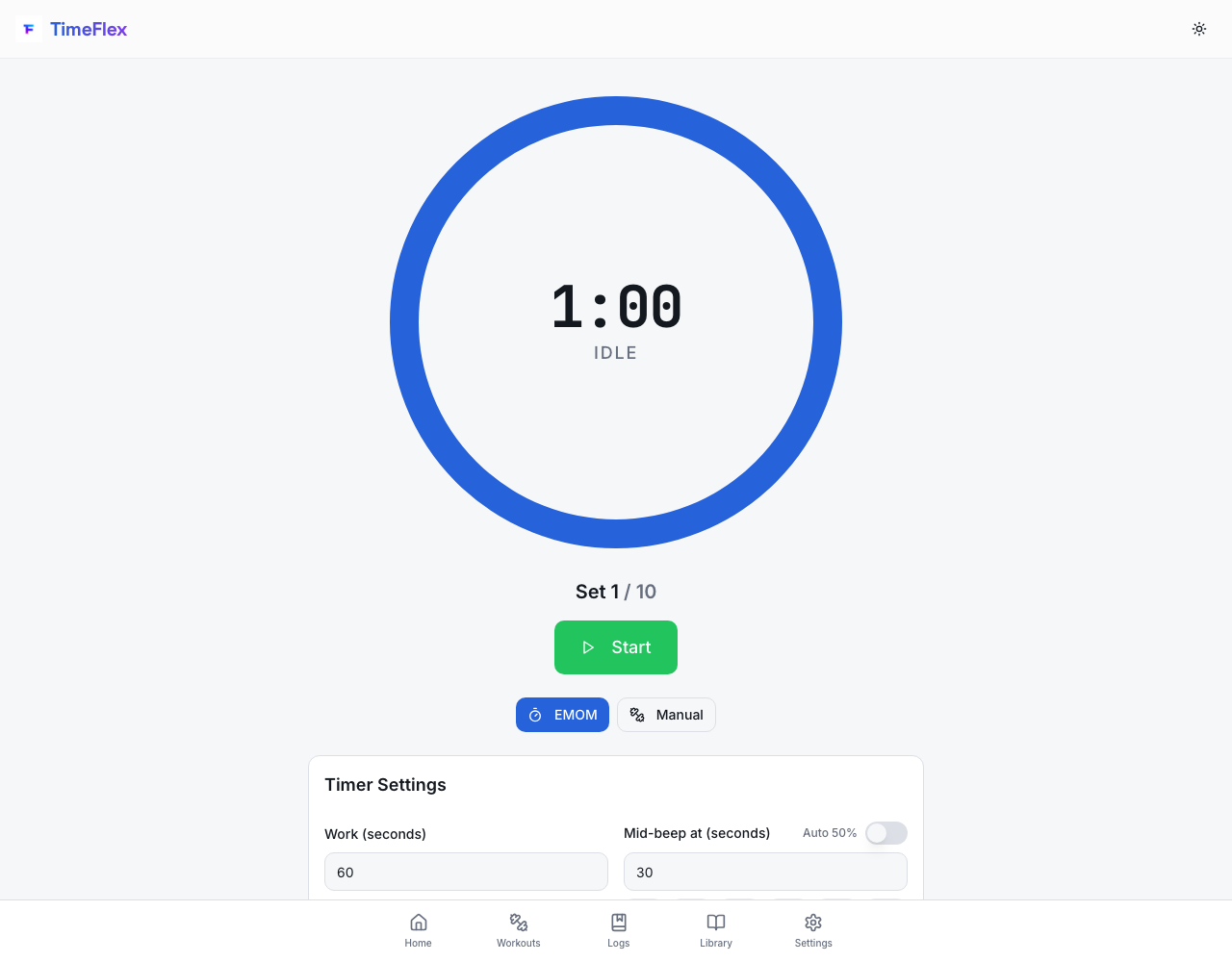
Plan interval workouts, run configurable work and rest timers, and log your training. Build structured sessions or multi-week cycles, with an installable web app that also works offline.

More about TimeFlex

TimeFlex is a comprehensive training companion designed for high-intensity workouts and deliberate practice. It combines a precision interval timer with workout building and cycle planning features.

  • Precision Timer: EMOM countdown with configurable work/rest intervals and mid-interval alerts
  • Workout Builder: Create structured sessions with exercises, reps, and linked timer presets
  • Cycle Planning: Plan multi-week training programs and schedule workouts across days
  • PWA Ready: Installable on any device for reliable offline use without an app store
Made with
Lovable
Ideal for
athletes, fitness enthusiasts, and professionals practicing skills that require structured timing and progression
Record
/apps/timeflex
LearnWeaver screenshot

Build and share presentations with hierarchical sections, custom bullet points and rich media. A personal dashboard keeps bookmarks and viewing history, with cloud storage available through a free account.

More about LearnWeaver

LearnWeaver is a learning-platform-cum-presentation builder. It enables users to create engaging slideshows with hierarchical sections, custom bullet points and rich media support.

  • Create Presentations: build slide decks with focus mode and multimedia
  • Personal Dashboard: bookmark slides, track viewing history and organise content
  • Free account creation with cloud-based storage and sharing
Made with
Lovable
Ideal for
teachers, trainers and learners
Record
/apps/learnweaver

Frameworks

Reusable software for building your own tools and websites.

Online Reader Framework

v1.1 · MITReleasedWeb · React framework
Online Reader Framework screenshot

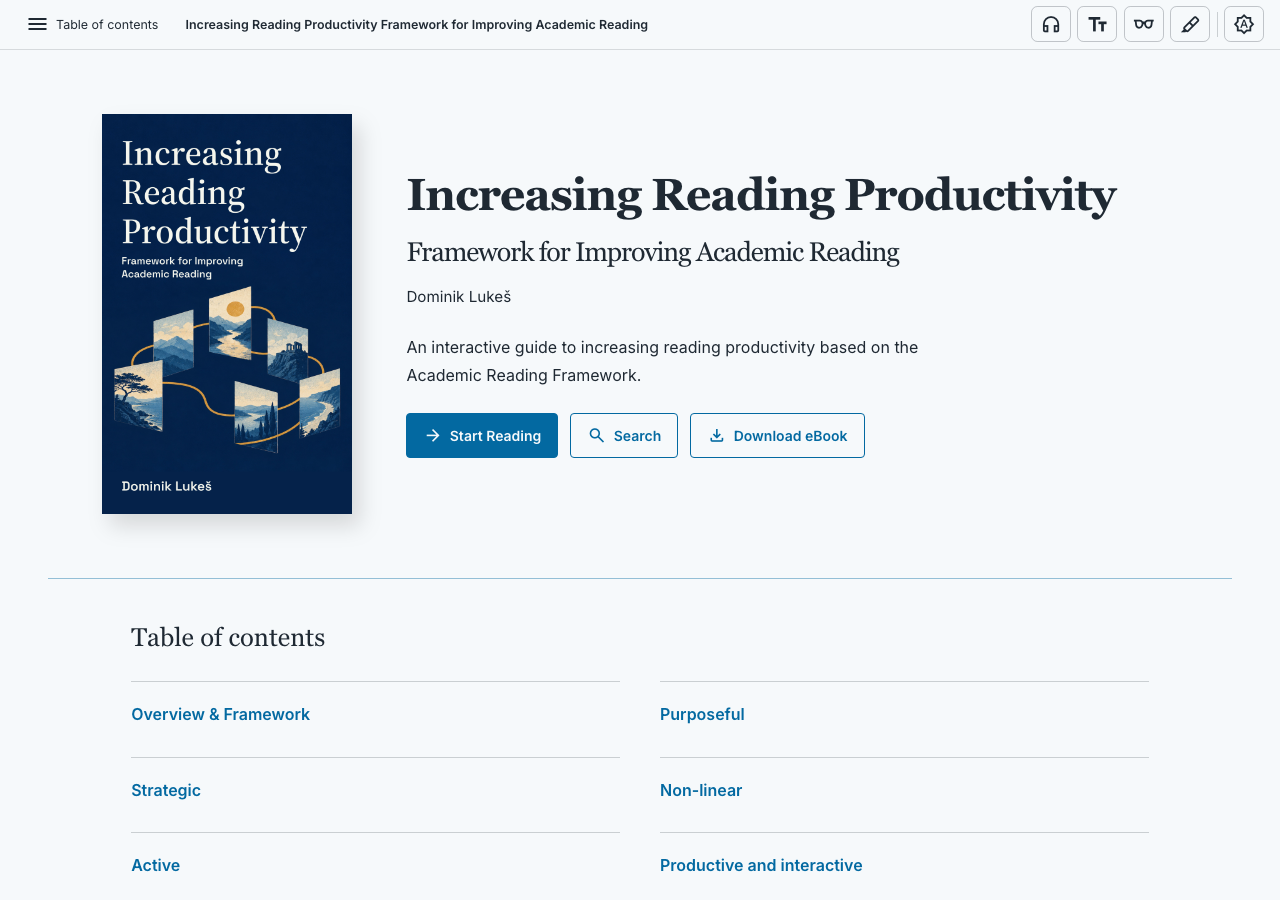
Publish books and guides as readable, searchable websites with reading tools, notes, read-aloud, EPUB downloads and full text for AI agents.

More about Online Reader Framework

Online Reader Framework is an MIT-licensed React framework based on the readability and academic reading guides. Each book can have its own layout, nested contents and chapter outline. Readers can search, highlight passages, add notes, bookmark pages and track progress. Formatting and reading-assistance controls include anchored reading and a theme that follows the system setting. Browser read-aloud supports voice selection, skipping and text highlighting. Version 1.1 includes a runnable example book and isolated HTML interactions with written text alternatives for EPUB and agent files.

  • Nested contents, chapter outlines and six front-page layouts
  • Adjustable formatting, paragraph focus, line window, ruler and anchored reading
  • Browser read-aloud with voice selection, skipping and text highlighting
  • Highlights, notes, bookmarks and reading progress stored in the browser
  • EPUB downloads and generated Markdown files for AI agents
  • Sandboxed HTML interactions with written text alternatives
Made with
React, TypeScript
Ideal for
authors, educators and developers publishing books and long guides on the web
Record
/apps/online-reader-framework

App Patterns

TypeScript · React · Electron
App Patterns screenshot

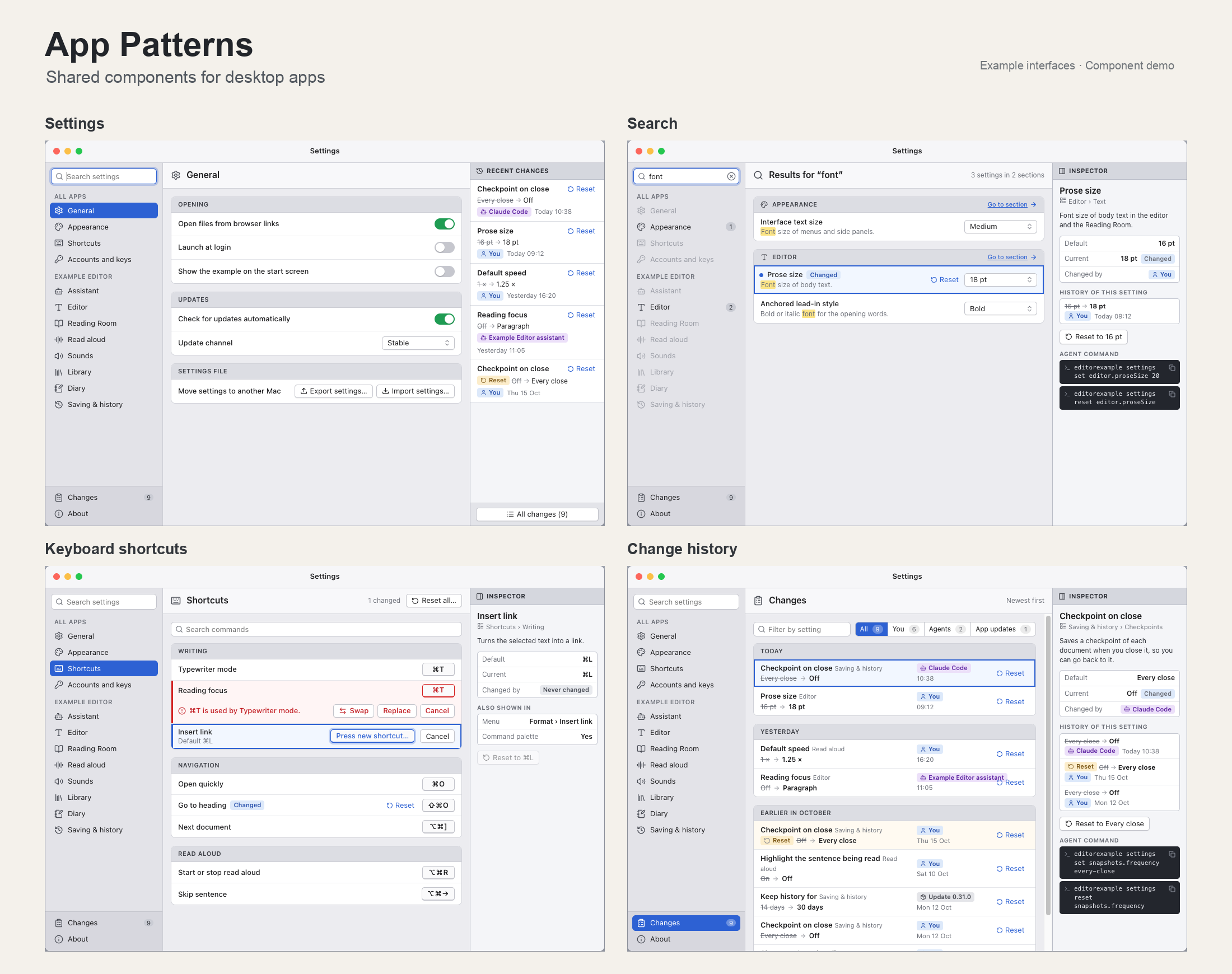
Shared TypeScript patterns for desktop apps: commands, keyboard shortcuts, Settings, update notices and Markdown outlines.

More about App Patterns

App Patterns provides a command registry for palettes, menus and keyboard shortcuts; schema-driven Settings with history, undo, import and export, and an agent CLI; React components and Electron adapters; update notices; and Markdown outline commands for CodeMirror. Release 0.4.4 is distributed as seven versioned archives under the MIT licence. Consumers copy and retain the root LICENSE alongside vendored archives.

  • Command registry, menus and keyboard shortcuts
  • Settings schema, history, undo, import, export and headless CLI
  • React Settings components and Electron adapters
  • Release-feed checking and update notices
  • Markdown outline selection and movement in CodeMirror
Made with
TypeScript, React, Electron
Ideal for
developers sharing desktop app behaviour across projects
Record
/apps/app-patterns

Teaching tools

Small web apps that each explain one idea, for teaching AI literacy, language and reading.

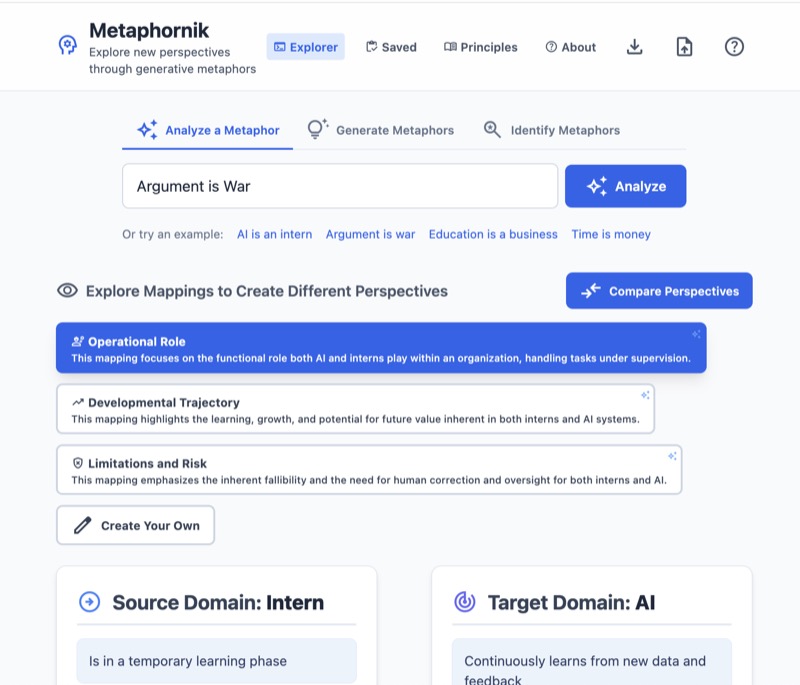
Metaphornik screenshot

Explore a topic through AI-generated metaphors and see what each framing highlights or hides. A tool for teachers and writers looking for different perspectives on an idea.

More about Metaphornik

Metaphornik uses AI to explore metaphors and their consequences: pick a domain, see what a metaphor highlights and hides.

  • Generates metaphors for a topic
  • Shows what each metaphor highlights and hides
Made with
Gemini
Ideal for
teachers and writers working with framing
Record
/apps/metaphornik
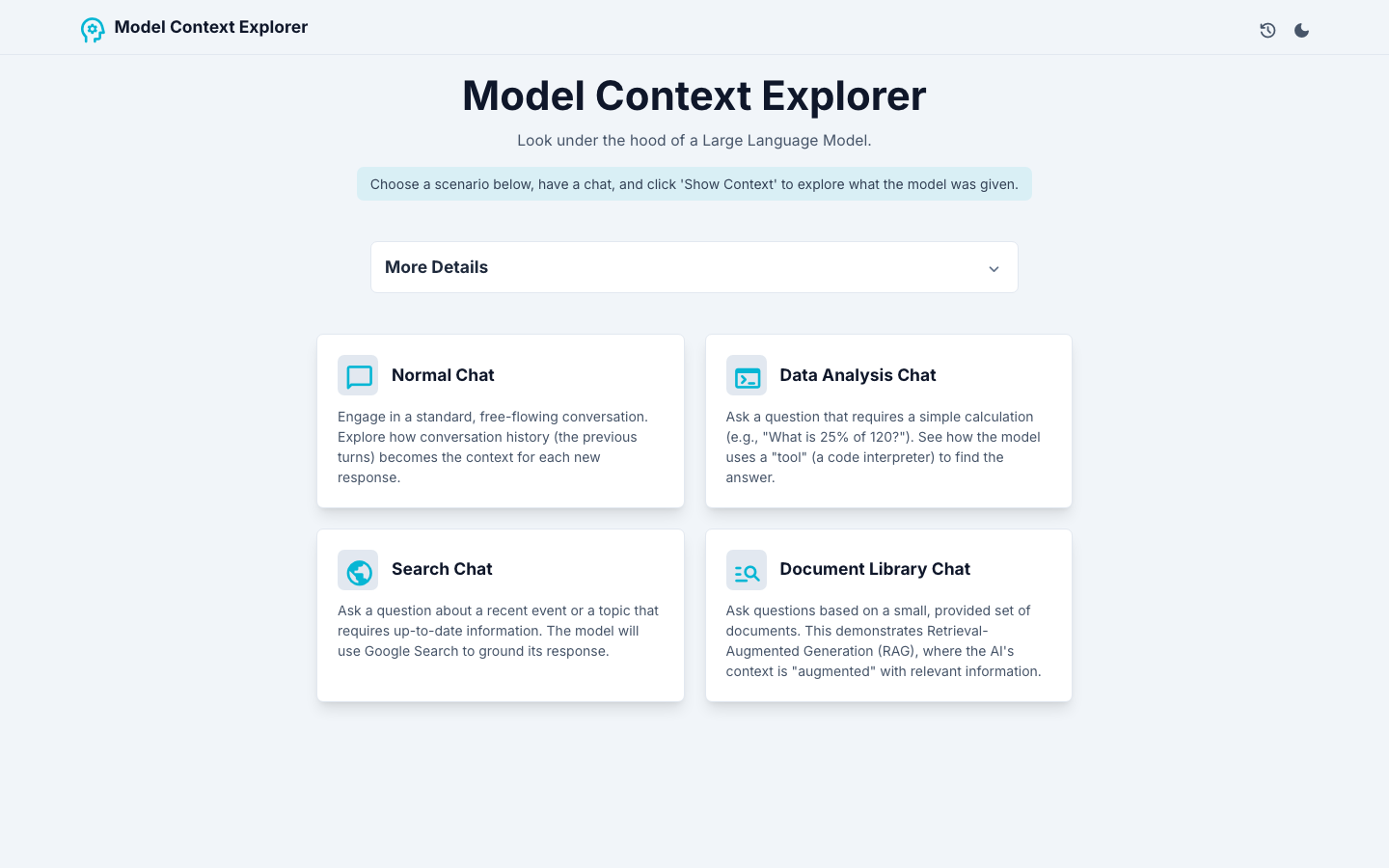
Model Context Explorer screenshot

See the full context a language model receives, with step-by-step views for teaching. Explore what goes into an AI application to support lessons about how language models work.

More about Model Context Explorer

An educational application that explains how context works in applications built on large language models.

  • Shows the full context a model receives
  • Step-by-step views for teaching
Ideal for
AI literacy teaching
Record
/apps/model-context-explorer
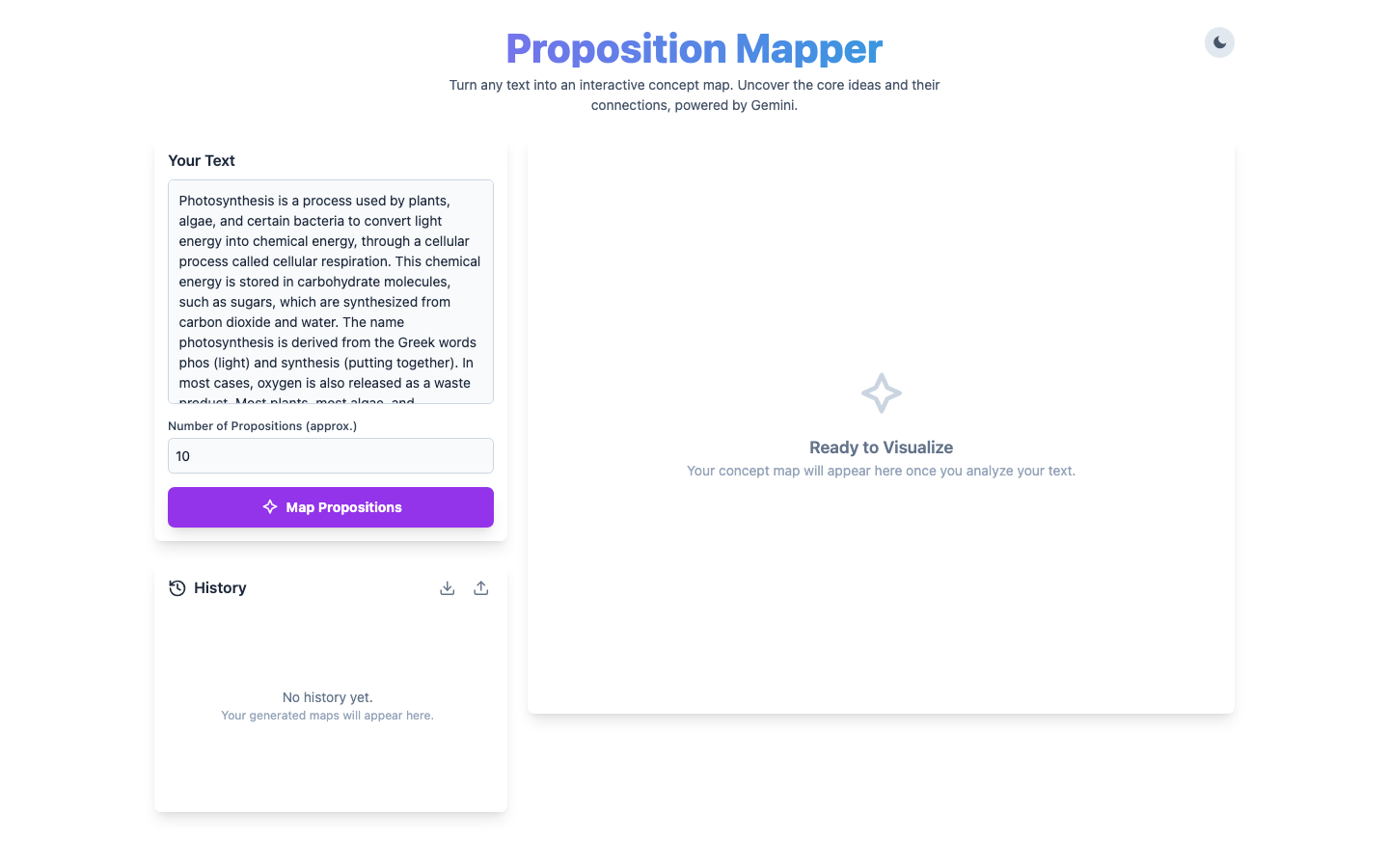
Proposition Mapper screenshot

Turn the propositions in a text into an interactive concept map using Gemini. Explore connections between ideas as part of reading, study or teaching activities.

More about Proposition Mapper

Maps propositions from a text into a concept map with Gemini.

  • Extracts propositions from text
  • Interactive concept map
Made with
Gemini
Ideal for
reading and study skills teaching
Record
/apps/proposition-mapper
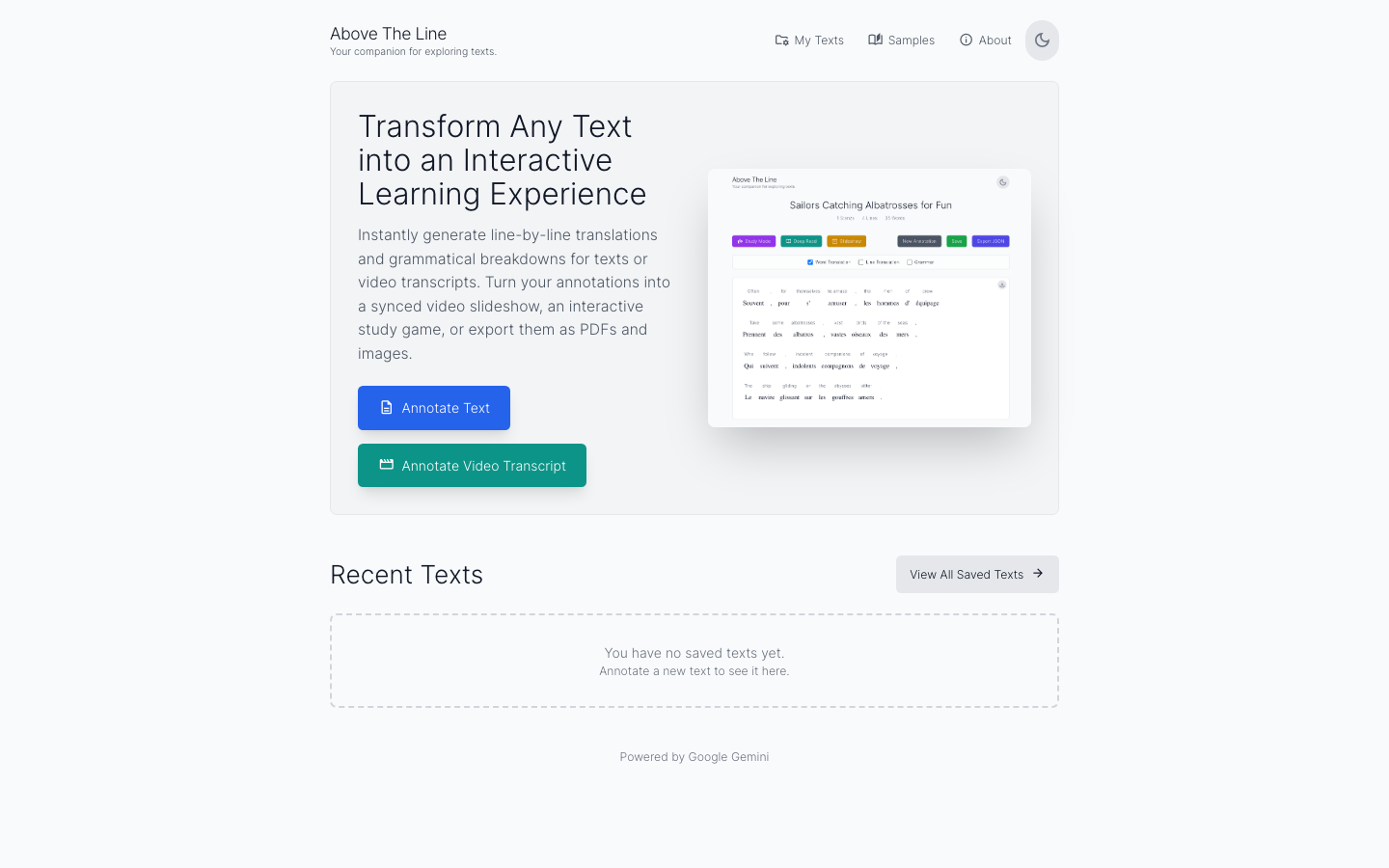
Above The Line screenshot

Turn a text or video transcript into an interactive interlinear reader. Students and teachers can explore translations alongside the original language as part of a learning activity.

More about Above The Line

Transform any text or video transcript into an interactive interlinear learning experience.

  • Interlinear reader
  • Works on texts and transcripts
Ideal for
language learners and teachers
Record
/apps/above-the-line
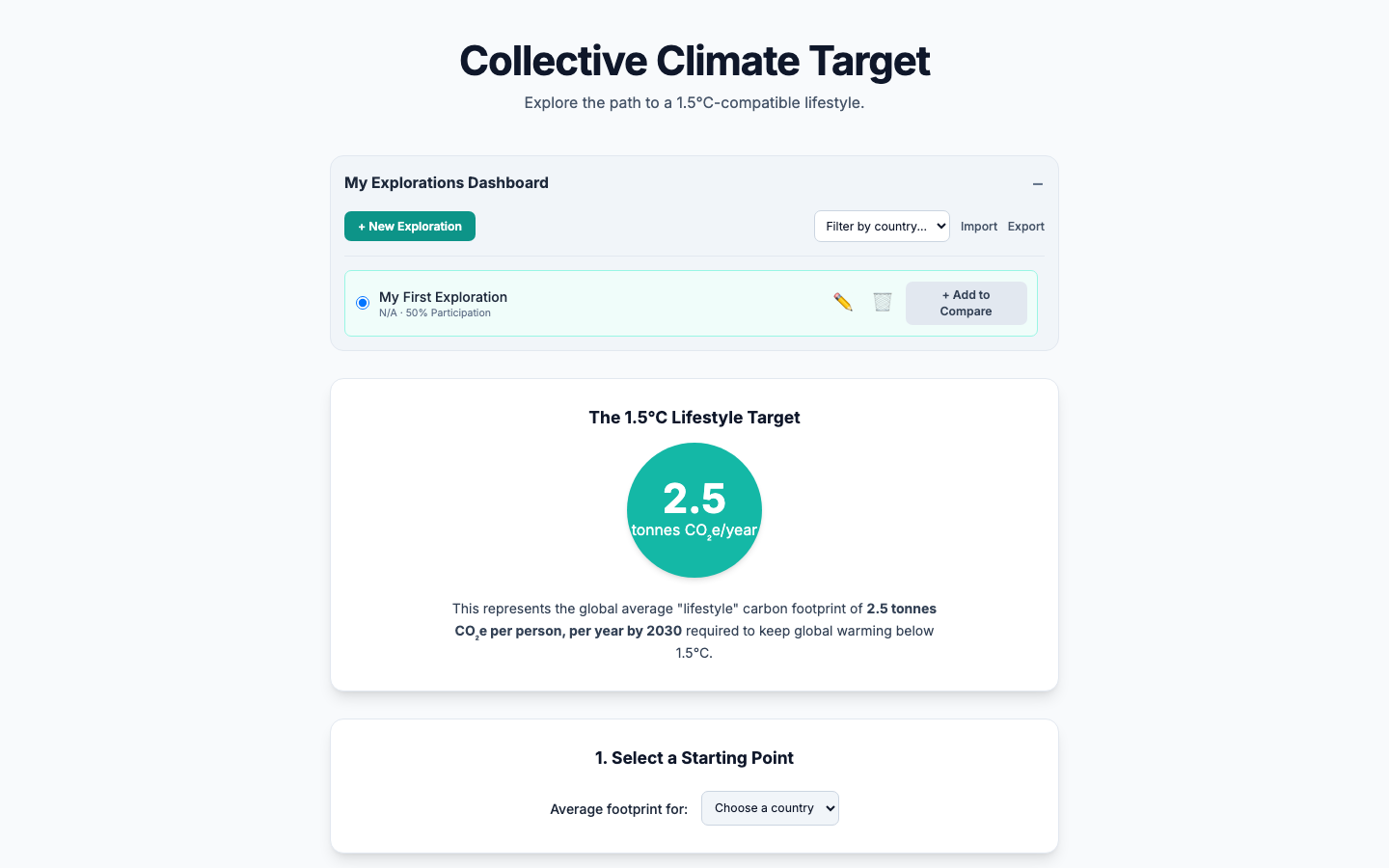
Climate Target Explorer screenshot

Explore collective-action paradoxes around climate targets through interactive scenarios. An educational tool for examining how individual actions relate to shared climate goals in a teaching setting.

More about Climate Target Explorer

Explores collective action paradoxes around climate targets.

  • Interactive scenarios
Ideal for
teaching
Record
/apps/climate-target-explorer
Source

KeyMaster

ToolWeb
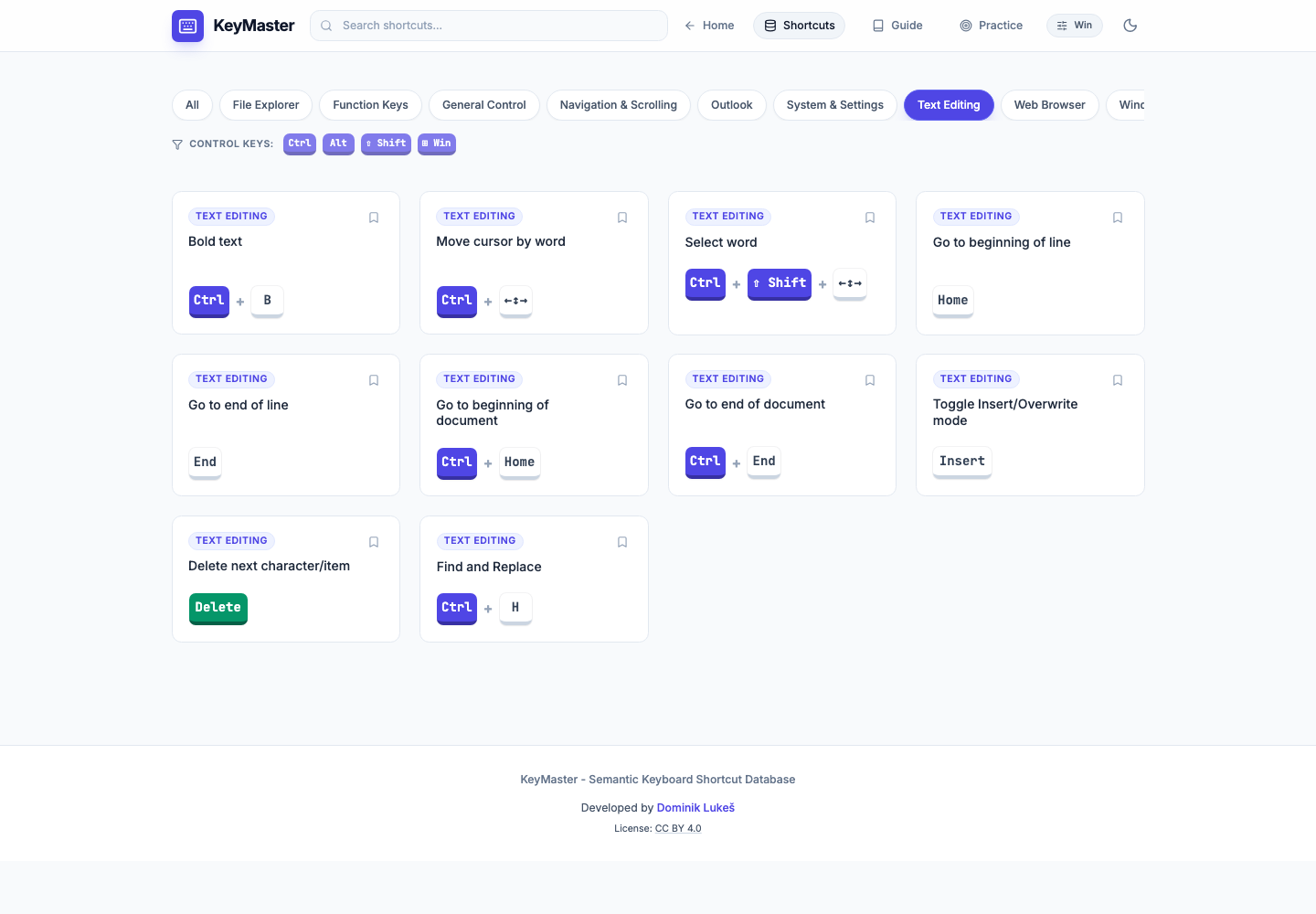
KeyMaster screenshot

Learn keyboard shortcuts through drills and keep shortcut documentation in one tool. Designed for people who prefer working from the keyboard and want to practise their commands.

More about KeyMaster

Learn and document keyboard shortcuts.

  • Shortcut drills
  • Shortcut documentation
Ideal for
keyboard-first users
Record
/apps/keymaster

Plugins and research tools

Extensions and local tools for Zotero, VS Code and model evaluation.

ZoteroLM

Zotero extension

Summarise PDFs from your Zotero library and save the results as Zotero notes. The extension also offers questions and answers for researchers working with their reading collections.

More about ZoteroLM

Zotero extension that summarises PDFs and stores the summaries as notes in Zotero.

  • Summarises PDFs
  • Stores summaries as Zotero notes
Made with
Claude Code
Ideal for
researchers with large Zotero libraries
Record
/apps/zoterolm

Zotero Agent Bridge

VS Code extension

Pull PDFs and notes from Zotero into a local folder through a VS Code extension. Include the metadata a coding agent needs to work with your research material.

More about Zotero Agent Bridge

Pulls PDFs and notes from Zotero into a local folder, with metadata, so a coding agent can work with them.

  • Zotero to local folder
  • Metadata for agents
Ideal for
researchers working with coding agents
Record
/apps/zotero-agent-bridge
Source
Looking for something to read rather than install? Resources has the guides and Webs lists every site.

Cite this page

Lukeš, Dominik (n.d.). Apps — Dominik Lukeš. Dominik Lukeš. https://dominiklukes.net/apps

↑ ↓ moveEnter openShift+Enter sourceEsc closeAgents: the same index is at /search-index.json

Keyboard shortcuts

Single keys work anywhere except while you are typing in a box. The letters of the old site still go to the same places.

Turn off if you use speech input or stray key presses move the page. ⌘K or Ctrl+K and Esc keep working, and this list stays in the footer.

Find and switch

Open search/
Open search (Ctrl+K on Windows)⌘K
Show keyboard shortcuts?
Cycle theme: system, light, darkm
Close any dialogEsc

Go to a section

Go to Appsp
Go to Agentsg
Go to Websl
Go to Writingw
Go to Researchr
Go to Academic productivityd
Go to Resourceso
Go to Speakingt
Go to Teachinge
Go to Consultingk

Go to a page

Go to homeh
Go to abouta
Go to About this sites
Go to CVv
Go to Contactc
Go to research (old publications key)u
Tip: press Esc to close any dialog. Hover a link in the top bar to see its key.